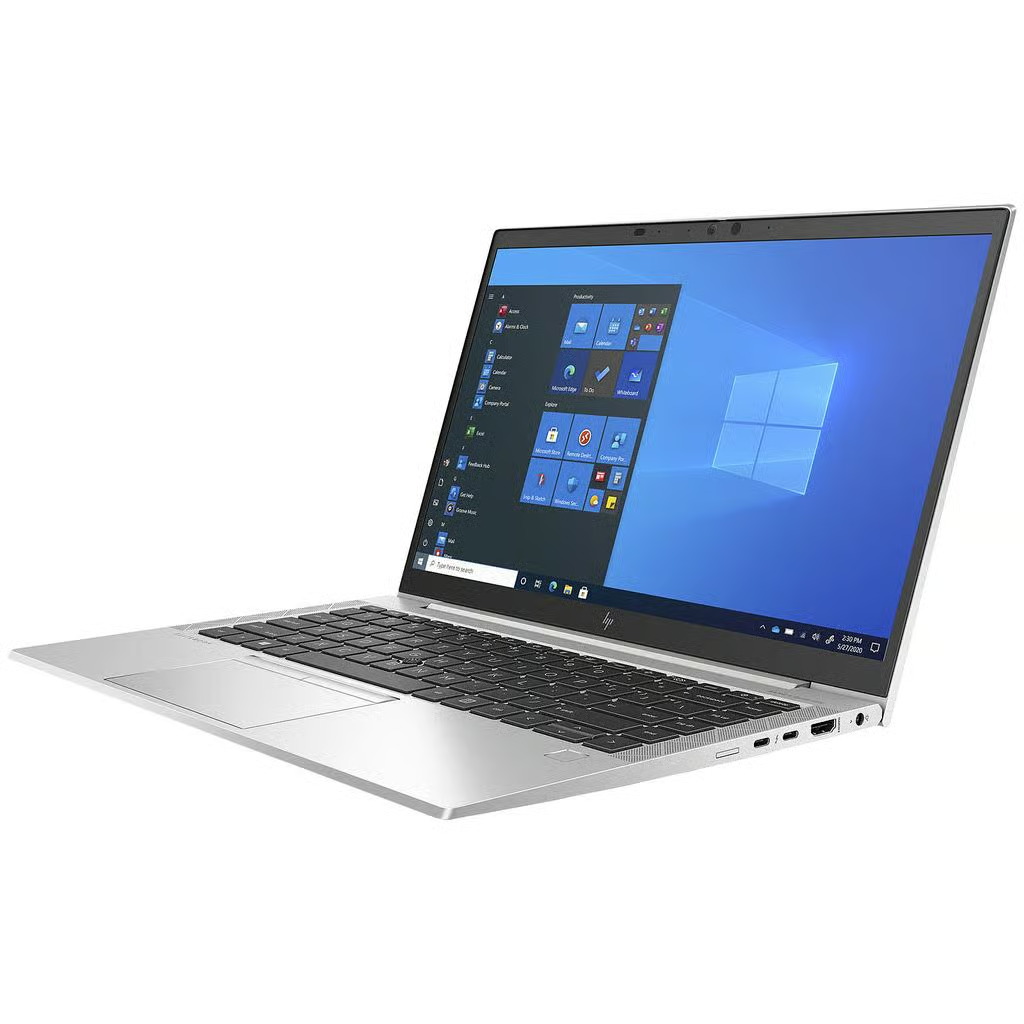
Refurbished laptop
HP EliteBook 840 G8 i5
16GB, Up to 512GB SSD
From £295.00
- 14-inch display
- 16GB RAM
- 512GB SSD
Know what you’re buying
- Condition
- Ask us for details
- Battery
- Ask us for details
- Included
- Ask us for details
Need help choosing? Contact us
Specifications
| Model | HP EliteBook 840 G8 i5 |
|---|---|
| Screen size | 14-inch |
| Memory | 16GB |
| Storage | 128GB SSD, 256GB SSD, 512GB SSD |
| Processor | Intel Core i5-1145G7 |
| Operating system | Windows 11 |
| RAM | 16GB |
| Display | 14-inch FHD (1920 × 1080), non-touch |
| Grade | Good, Excellent |
Condition & battery
Every laptop is refurbished and checked before it is listed. The photos and description show its condition, including any cosmetic marks.
Delivery & warranty
Delivery options and costs are shown at checkout. Questions about warranty or returns? We are happy to help.
A closer look before you buy
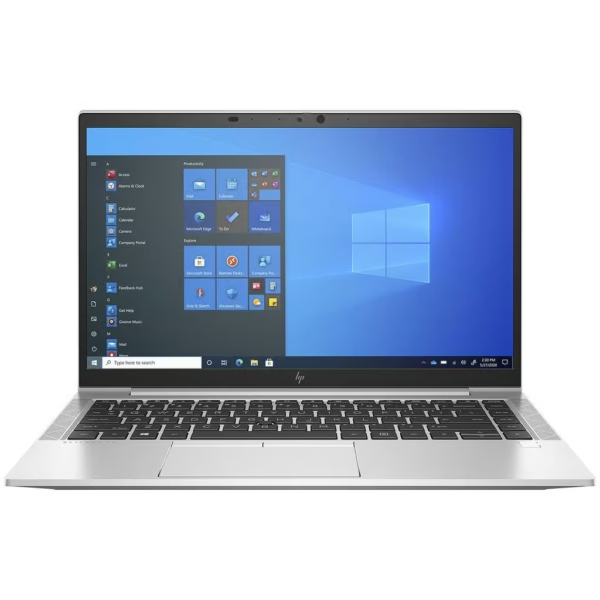
Clear photos. Useful details.
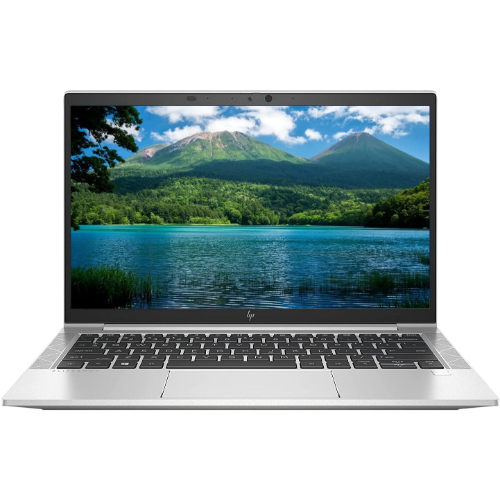
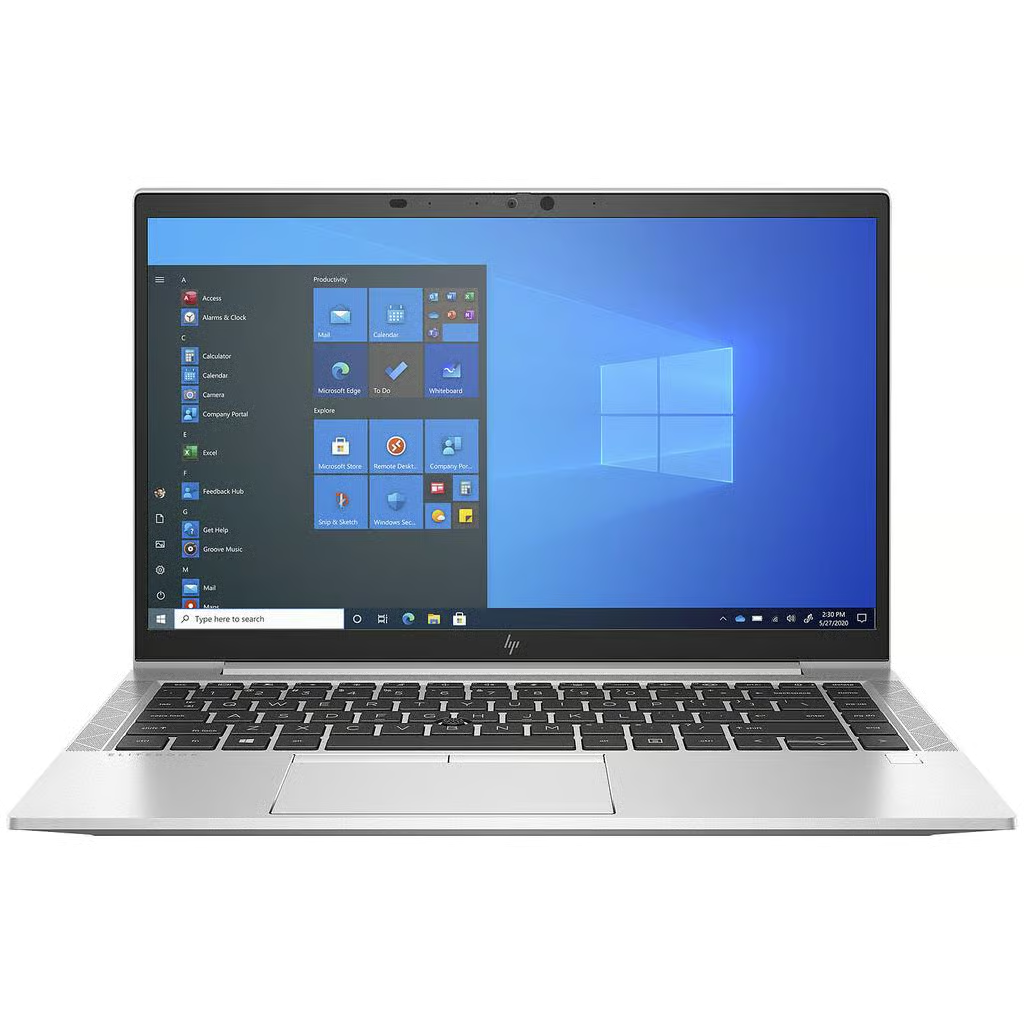
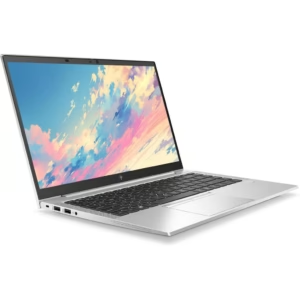
See the details that matter, from the keyboard and ports to any cosmetic marks.
About this laptop
The refurbished HP EliteBook 840 G8 pairs an Intel Core i5-1145G7 with 16GB RAM for professionals and students building a versatile everyday workspace. Its 14-inch Full HD screen suits documents, web research and desktop applications, and three SSD options let you choose space for the files you want close at hand. The 11th Generation Core i5 platform and Thunderbolt 4 connections make this a useful choice for a laptop-and-desk routine. Supplied with Windows 11 and a compatible charger, the G8 combines familiar business-laptop practicality with Primo Technology testing and support.
Key specifications
- Model: HP EliteBook 840 G8 laptop.
- Processor: Intel Core i5-1145G7.
- Memory: 16GB RAM in every selectable option.
- Storage: 128GB SSD, 256GB SSD or 512GB SSD.
- Display: 14-inch FHD (1920 × 1080), non-touch.
- Keyboard: English QWERTY.
- Operating system: supplied with Windows 11.
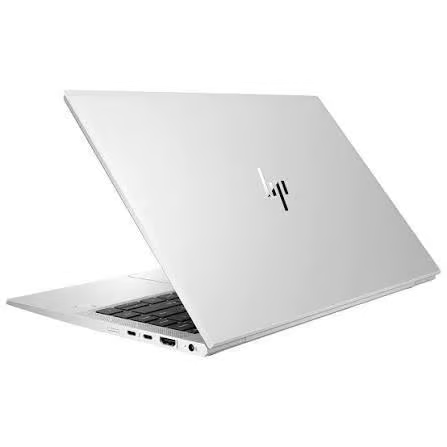
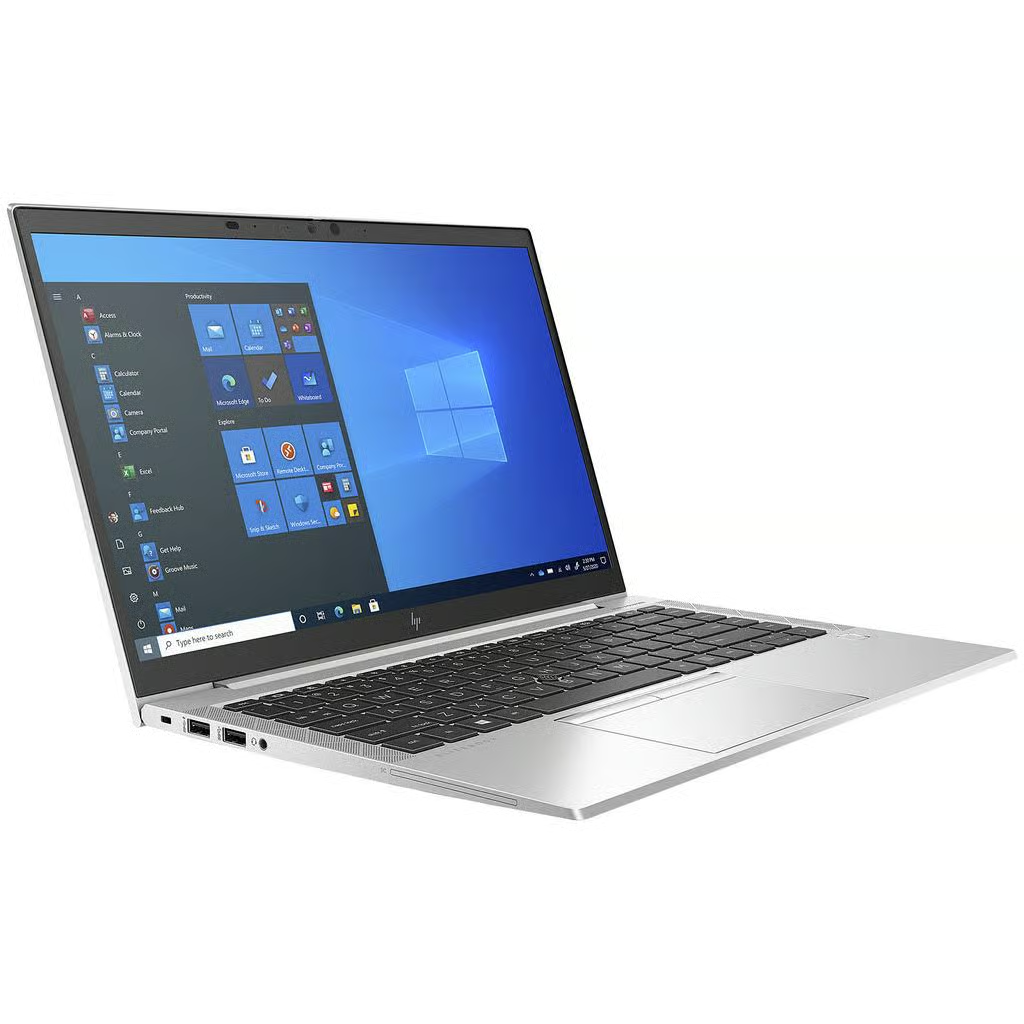
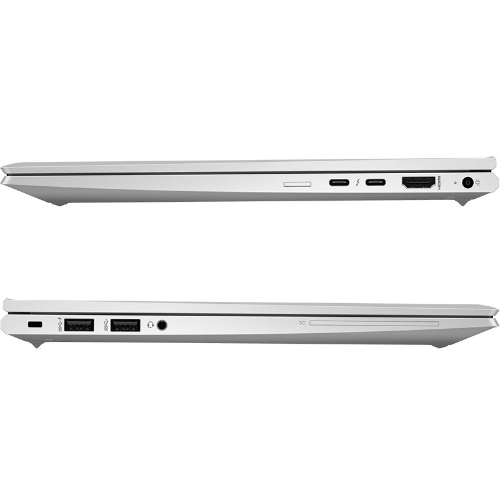
- Ports: two USB-A, two USB-C with Thunderbolt 4, HDMI and a headphone/microphone combination socket.
An 11th Generation platform for your working day
The Core i5-1145G7 gives this EliteBook its 11th Generation platform, paired here with 16GB RAM for everyday multitasking. Keep project documents, web tools and research open together as your tasks change. Thunderbolt 4 connectivity is useful when planning a compatible dock and desk setup, letting the same laptop serve you at a regular workspace and in different rooms.
A useful working day often involves several small tasks at once: answering a customer, checking an order, preparing a presentation and finding the right reference file. Having your tools together on a familiar desktop helps you stay organised. The 16GB configuration is included across all the choices here, so you can concentrate on storage capacity and cosmetic preference when deciding which option to buy.
Full HD space for work and study
The 14-inch screen provides a practical balance between a portable laptop format and an everyday workspace. Full HD resolution gives you room to organise documents and browser windows while keeping the laptop convenient for a shared desk or study area. Keyboard-and-mouse use is central to this confirmed non-touch configuration.
At a permanent desk, HDMI lets you connect a compatible external display. A second screen can give reference material its own space while you write, or let you keep a spreadsheet alongside a document. Match your monitor, cable or dock to the listed connections before ordering accessories. A thoughtful desk setup can make the laptop useful across several different parts of your day.
Choose your SSD capacity with confidence
The 128GB SSD option suits a document-focused routine where much of your work is stored online. The 256GB SSD gives you more room for applications, coursework and personal folders. Choose the 512GB SSD when you want the largest local storage option offered in this listing, with extra space for project files and downloaded materials.
Consider the files you already use and the applications you plan to install. Documents, photographs, presentations and course downloads share space with Windows and your software. Selecting a suitable capacity at checkout makes the purchase straightforward. Each capacity is offered with the same 16GB memory and display, making it easy to compare choices around the storage you actually need.
Who Is This For?
Yes — the HP EliteBook 840 G8 is ideal for office and hybrid workers, students, teachers and households who want a 14-inch Full HD laptop for documents, research, spreadsheets, email and everyday organisation. Its 16GB RAM gives useful room for switching between applications, while the three SSD choices let you match local storage to your files. USB and HDMI connections make it practical for a compatible monitor, mouse and keyboard at your desk.
Not ideal for: demanding 3D rendering and graphics-intensive modern gaming on the HP EliteBook 840 G8. Choose a dedicated-graphics system for those workloads. For pen input or tablet-style work, choose a touchscreen convertible. This listing supplies the confirmed Full HD non-touch screen; choose your SSD capacity and cosmetic grade above.
Refurbished, tested and supported
Primo Technology prepares refurbished laptops through a 30-point inspection, including all ports, with a minimum tested battery health of 80% of original design capacity. Functional checks help make the specification useful in practice, while clear listing information helps you choose the right machine for your day. A 14-month warranty and 28-day returns accompany your purchase.
Good or Excellent — select your grade above, and use the guide to compare appearance before ordering. Both cosmetic choices follow the same functional testing standard. Choose the presentation that suits your priorities while keeping the processor, memory and screen specification described on this page.
Buying refurbished also gives an existing business laptop another useful working life. Focus your budget on the memory and storage that support your own tasks, with a clear route to Primo Technology if you need help. Our team can discuss your intended use and help you compare an alternative when a different size or format would suit you better.
What’s in the box?
- HP EliteBook 840 G8 with 16GB RAM and your chosen SSD capacity.
- Compatible charger with UK plug included.
Have your account details and preferred applications ready when setting up your workspace. If you are moving from another computer, plan a transfer of your own documents and personal files. Signing in to services you already use and arranging folders around your routine helps you make the laptop your own from the start.
Delivery and dispatch
Free UK mainland delivery takes 1–2 working days after dispatch. Scottish Highlands, Northern Ireland, Isle of Man, Channel Islands and remote postcodes AB, IV, KW, PA, PH and ZE take 3–5 working days. Orders before 9am Monday–Friday dispatch the same day. Orders after the cut-off, at weekends or on bank holidays dispatch the next working day.
Frequently Asked Questions
What is the difference between the two grades?
Cosmetic appearance is the difference between the two grades offered for the HP EliteBook 840 G8. Both follow the same functional testing standard, include the same selected specification and carry a 14-month warranty. Compare appearance descriptions in our grading guide before choosing.
Does the HP EliteBook 840 G8 have a touchscreen?
The HP EliteBook 840 G8 in this listing has a 14-inch FHD (1920 × 1080) non-touch display. Every storage option uses that same screen. For handwriting or pen input, choose a suitable touchscreen convertible from our range.
Which SSD size should I choose?
The HP EliteBook 840 G8 offers 128GB SSD for a document-focused routine with cloud storage, 256GB SSD for more local applications and personal files, or 512GB SSD for larger projects and a growing file collection. Every capacity includes 16GB RAM.
Can I choose or upgrade the RAM?
16GB RAM is included with every HP EliteBook 840 G8 option on this page. For a different memory requirement or a future upgrade, ask Primo Technology to confirm compatible parts and installation for your machine before arranging the work.
What ports does the HP EliteBook 840 G8 have?
The HP EliteBook 840 G8 has two USB-A ports, two USB-C ports with Thunderbolt 4, HDMI and a headphone/microphone combination socket. Use compatible accessories to build a desk setup with an external display, mouse or keyboard.
What is the battery condition?
Minimum tested battery health is 80% of original design capacity for the HP EliteBook 840 G8. Primo Technology tests batteries against this standard before dispatch. Applications, display settings and usage affect time between charges.
Does it come with a charger?
Yes — the HP EliteBook 840 G8 includes a compatible charger with a UK plug. Use the supplied charger during setup and keep it ready at your main workspace for everyday charging.
How quickly will my order arrive?
The HP EliteBook 840 G8 has a UK mainland delivery estimate of 1–2 working days after dispatch. Scottish Highlands, Northern Ireland, Isle of Man, Channel Islands and remote postcodes AB, IV, KW, PA, PH and ZE take 3–5 working days. Orders before 9am Monday–Friday dispatch the same day; later orders, weekends and bank holidays dispatch the next working day.
About Primo Technology
Primo Technology helps customers choose refurbished computers with clear specifications, practical advice and after-sales support. Our focus is finding a useful match for your work, study and household needs. Compare the features that matter to you, choose a suitable capacity and ask our team for help with your intended setup.
Related laptops and buying advice
Compare the HP EliteBook 840 G5, explore the HP EliteBook 840 G6, or consider the HP EliteBook x360 1030 G4 for a convertible format. Browse more business laptops and student laptops.
Read how to choose a refurbished laptop and our student laptop buying guide for more advice. When ready, select storage and grade above to see the price and availability for your preferred combination.
Questions about this laptop?
What condition will it arrive in?
Every laptop is refurbished and checked before it is listed. The listing and photos describe its condition, including any cosmetic marks. If you would like more detail on a specific laptop, just ask us before you buy.
What is included in the box?
What comes in the box is shown in the “Know what you’re buying” panel on each laptop. If it does not say, contact us and we will confirm before you order.
How do warranty and returns work?
Delivery options and costs are shown at checkout. For warranty and returns details, see our help pages or contact us and we will explain how it works for your order.
Not sure if this is the right laptop?
Tell us what you need it for.
Related products
-
HP ProBook 650 G4 i5 7200U Laptop Windows 11 Up to 16GB
16GB RAM · 256GB SSD
From £199.00
View laptop
Refurbished HP EliteBook 840 G8…
Price range: £295.00 through £420.00
Add to basket