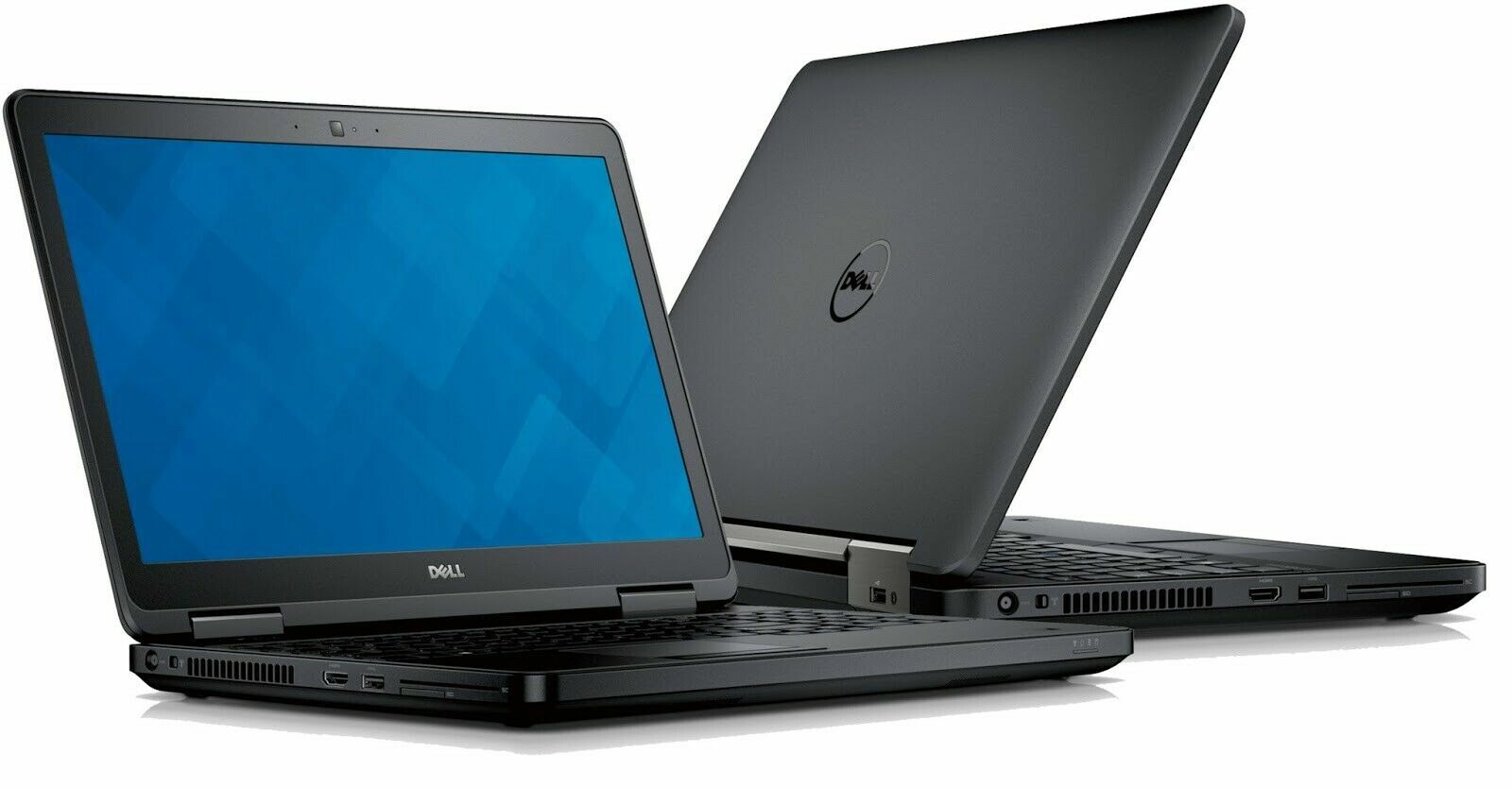
Refurbished laptop
Dell Latitude E5540
i5, 8GB, Up to 256GB SSD
From £155.00
- 15.6-inch display
- 256GB SSD
Know what you’re buying
- Condition
- Ask us for details
- Battery
- Ask us for details
- Included
- Ask us for details
Need help choosing? Contact us
Specifications
| Model | Dell Latitude E5540 |
|---|---|
| Screen size | 15.6-inch |
| Storage | 128GB SSD, 256GB SSD |
| Processor | Intel Core i5 |
| Operating system | Windows 11 |
| Storage Capacity | 128GB SSD, 256GB SSD |
| Grade | Good, Excellent |
| Brand | Dell |
| RAM | 8GB |
| Screen Size | 15.6″ |
Condition & battery
Every laptop is refurbished and checked before it is listed. The photos and description show its condition, including any cosmetic marks.
Delivery & warranty
Delivery options and costs are shown at checkout. Questions about warranty or returns? We are happy to help.
A closer look before you buy
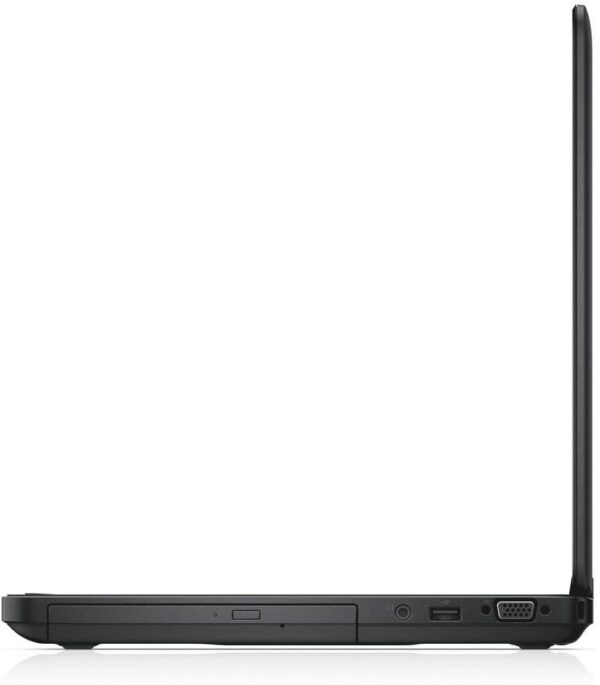
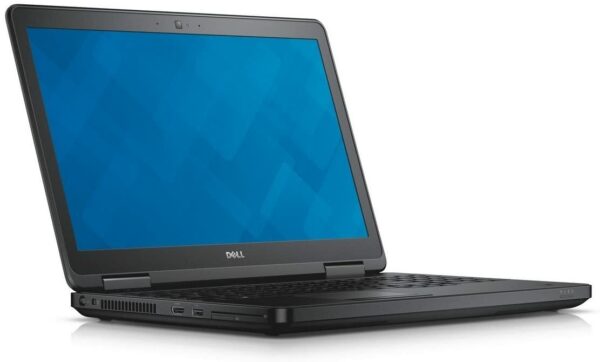
Clear photos. Useful details.
See the details that matter, from the keyboard and ports to any cosmetic marks.
About this laptop
Refurbished Dell Latitude E5540 — 15.6-Inch Business Laptop with Numeric Keypad
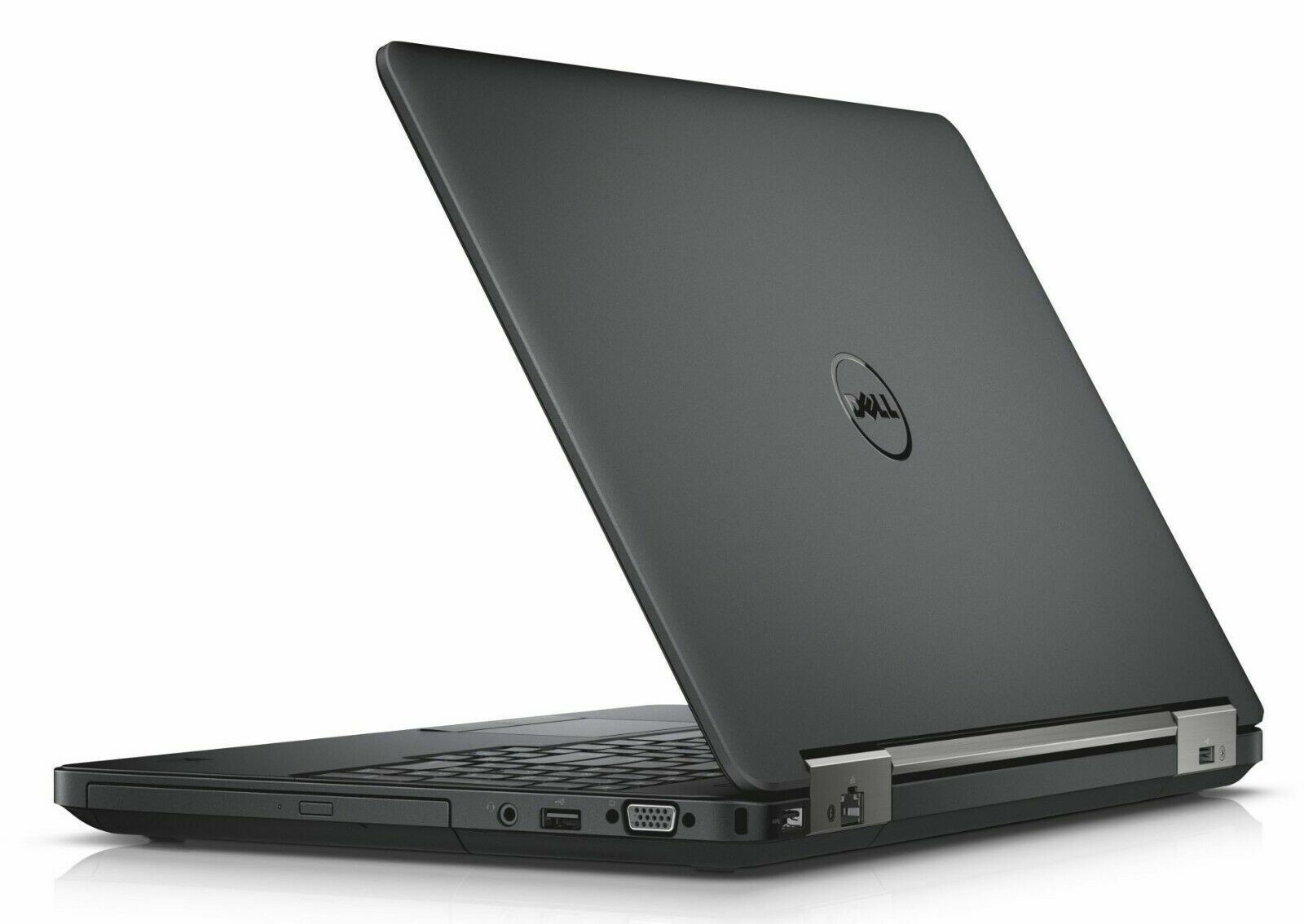
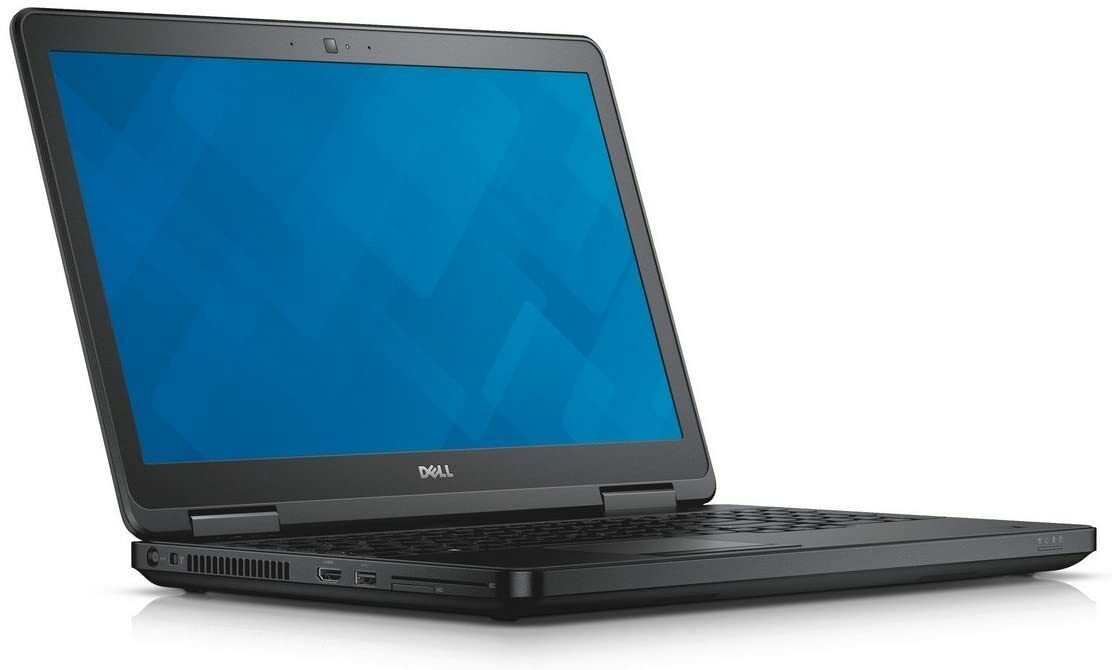
The refurbished Dell Latitude E5540 is a full-size 15.6-inch business laptop from Dell’s long-serving Latitude E-series, built for people who work at a desk and want a bigger screen, a proper numeric keypad and every port they are likely to need. Powered by an Intel Core i5-4300U processor with 8GB DDR3 memory and a choice of 128GB or 256GB SSD storage, it pairs dependable everyday performance with a built-in DVD drive, HDMI, VGA, Gigabit Ethernet and four USB ports. Sold by Primo Technology in certified refurbished condition, graded Good or Excellent (select your grade above), with a 14-month warranty and free next-day UK delivery.
Verified Key Specifications
- Processor: Intel Core i5-4300U, 4th Gen, dual-core, up to 2.9GHz
- Display: 15.6″
- RAM: 8GB DDR3 (2x SO-DIMM slots, upgradeable to 16GB)
- Storage: 128GB or 256GB SSD
- Graphics: Intel HD Graphics 4400 (integrated)
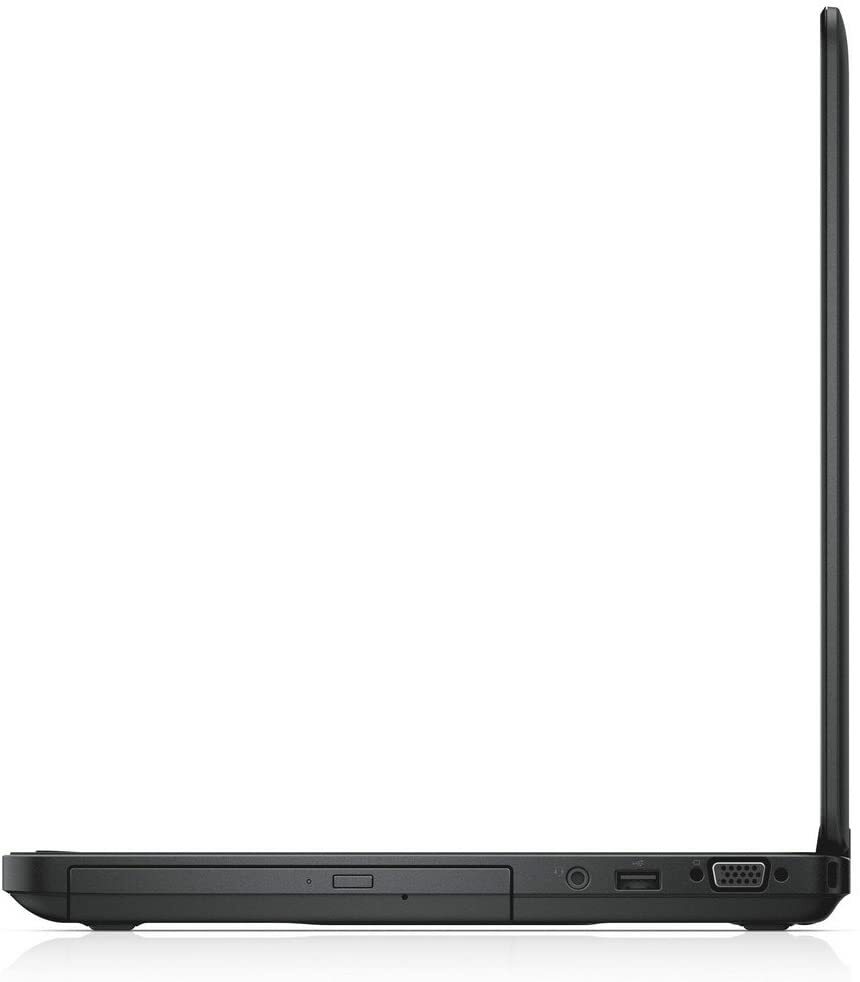
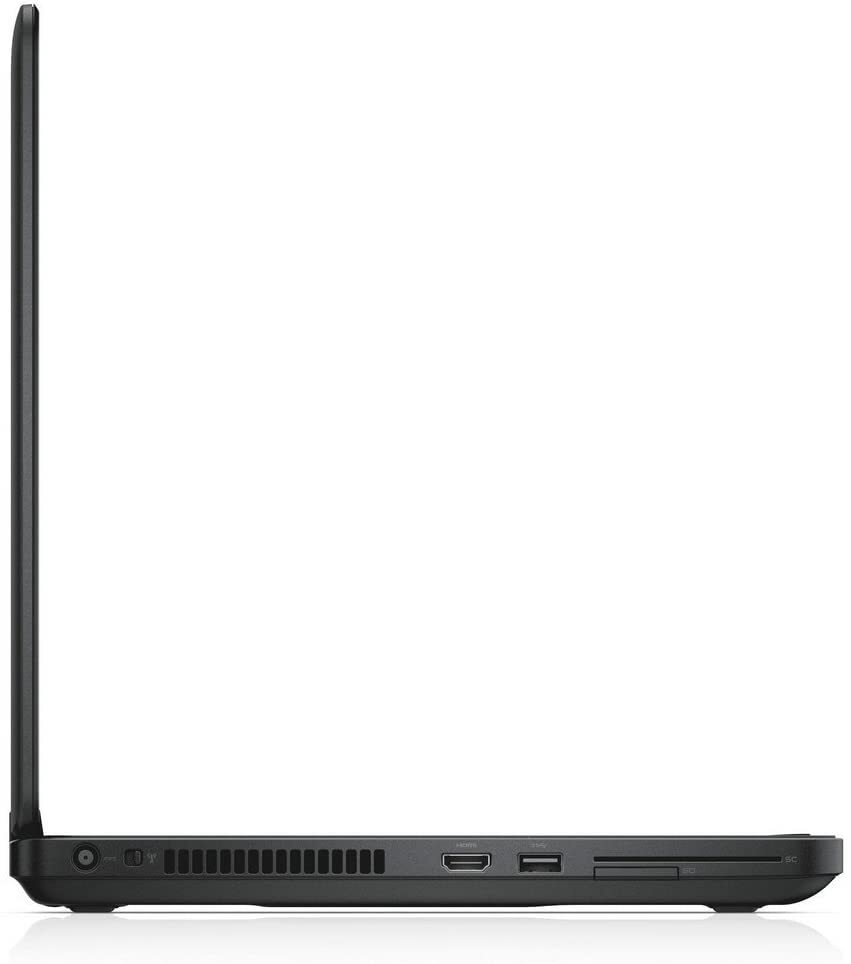
- Ports: 2x USB 3.0, 2x USB 2.0, HDMI, VGA, RJ-45 Ethernet, 8-in-1 memory card reader, headphone/microphone combo jack, docking connector
- Optical Drive: Built-in DVD drive
- Camera: 720p HD
- Keyboard: English QWERTY with numeric keypad
- Wireless: Wi-Fi, Bluetooth
- Weight: From 2.42kg
- Operating System: Windows 11
- Warranty: 14 months
Full-Size Screen and a Proper Numeric Keypad
The clearest reason to choose the E5540 over a smaller business laptop is the 15.6-inch chassis, and what that extra width makes room for. A dedicated numeric keypad sits to the right of the main keyboard, and for anyone who works with figures all day — invoicing, accounts, payroll, stock control, data entry or engineering calculations — it is far quicker than reaching for the number row. The larger footprint also allows generously spaced full-size keys and a wide palm rest, which makes long typing sessions markedly more comfortable than on a compact 13-inch or 14-inch machine. If your laptop mostly lives on a desk, this is the shape that suits the job.
SSD Storage — Choose 128GB or 256GB
Every unit has been upgraded from the original mechanical hard drive to a solid-state drive, available in 128GB or 256GB depending on the option you select above. On a machine of this generation the difference is dramatic rather than marginal: Windows boots in seconds instead of minutes, applications open promptly and file access stays quick all day. Buyers who work mainly from cloud storage, web applications and email are well served by the 128GB option, while anyone keeping a larger local library of documents, photographs or installed software should choose the 256GB configuration for the extra headroom.
Built-In DVD Drive and Legacy Connectivity
The E5540 keeps hardware that has quietly disappeared from modern laptops. A built-in DVD drive still matters if you work with archived discs, install software from physical media, or need to read records that were burned to disc years ago and never migrated. Alongside it sits a VGA connector, which keeps the machine compatible with the older projectors and monitors still in daily service across UK schools, church halls, small offices and meeting rooms, plus HDMI for anything modern. Gigabit Ethernet gives a stable wired connection where Wi-Fi is congested or restricted, and the docking connector lets the laptop drop into a compatible Dell E-Series docking station for an instant full desktop setup.
Four USB Ports and an 8-in-1 Card Reader
Connectivity is genuinely generous: two USB 3.0 ports for fast external drives and two USB 2.0 ports for a mouse, keyboard, printer or webcam, so a hub is rarely necessary even with several peripherals attached at once. The 8-in-1 memory card reader handles transfers straight from a camera or other device without an adapter. One point worth knowing: the USB 2.0 port at the rear of the E5540 is deactivated while the laptop is connected to a docking station, which is normal behaviour for this model rather than a fault.
8GB DDR3, Upgradeable to 16GB
This configuration ships with 8GB of DDR3 memory, which is comfortable for everyday office work, browsing with plenty of tabs open and video calls. Usefully, the E5540 keeps two accessible SO-DIMM slots and supports up to 16GB in total, so a qualified technician can double the memory later if your workload grows. That upgrade path is worth having on a budget machine — it means the laptop can be improved rather than replaced when demands increase.
Latitude E-Series Build Quality
Latitude is Dell’s professional line, built for years of daily commercial service rather than occasional home use. The E5540 has a reinforced chassis, a hinge rated for repeated opening and closing, and the firm, well-damped keyboard action that makes Latitudes a sensible choice for anyone who types for a living. At 2.42kg it is unmistakably a desktop-replacement machine rather than an ultraportable, but that weight buys you a sturdier build, a bigger screen, the optical drive and a far more complete port selection than any thin-and-light laptop at this price.
Who Is This For?
The refurbished Dell Latitude E5540 is ideal for home workers, students, small businesses and office teams who want a large-screen machine at an accessible price. It particularly suits anyone doing regular data entry who needs the numeric keypad, buyers who still rely on VGA projectors or DVD media, and offices with existing Dell E-Series docking stations that want a laptop which drops straight into the current setup. Browse our full refurbished laptop range to compare all available models.
Not ideal for: gaming or 3D design work. For spreadsheets, accounts and office work, the Latitude E5540 is a strong fit.
Typical Use Cases
This laptop suits administrators, bookkeepers and finance staff working across spreadsheets and accounting software all day, home workers who want one machine that serves as a comfortable desk setup without buying an external monitor, and students on courses involving a lot of written or numerical work. Small businesses also use the E5540 to equip a reception desk, back office or shared workstation without stretching the budget, and the docking connector makes it a straightforward drop-in replacement for an ageing Latitude in an office that already owns compatible docking hardware.
Our 30-Point Quality Inspection, Warranty and Returns
Every laptop sold by Primo Technology passes our 30-point inspection by in-house technicians. We test processor performance, RAM stability, SSD health, display quality, keyboard and trackpad function, the optical drive, battery capacity, all ports, Wi-Fi, Bluetooth and Ethernet, and overall system stability. Any component that does not meet our standards is repaired or replaced before sale. Every unit is backed by a 14-month warranty, free next-day UK delivery, and our standard returns policy for peace of mind.
What’s in the Box
- Refurbished Dell Latitude E5540
- Compatible Dell 90W charger
Frequently Asked Questions
What’s the difference between the 128GB and 256GB versions? Storage capacity only — the processor, memory and connectivity are identical. Choose 256GB if you need more local space for files, photos or installed software.
Does it have a numeric keypad? Yes — the full-size 15.6-inch chassis includes a dedicated numeric keypad, which is a significant advantage for data entry and finance work.
Does it have a DVD drive? Yes — a built-in optical drive is fitted, which is increasingly rare on modern laptops.
Can the RAM be upgraded? Yes — two SO-DIMM slots support up to 16GB DDR3 in total, so a qualified technician can double the supplied 8GB if your needs grow.
Does it have both HDMI and VGA? Yes — both are built in, covering modern and legacy display connections without adapters.
Is it compatible with a Dell docking station? Yes — the docking connector supports compatible Dell E-Series docking stations. Note that the rear USB 2.0 port is deactivated while docked, which is normal for this model.
Does it come with Windows 11? Yes — all Primo Technology refurbished laptops are supplied with a genuine licensed copy of Windows 11.
How does the E5540 compare to the 14-inch E5440? They are the same generation and share most internals. The E5540 is the 15.6-inch version, which adds the numeric keypad, a second USB 2.0 port and a larger screen, while the E5440 is lighter and easier to carry. Choose the E5540 if the machine will mostly sit on a desk.
Related Products and Helpful Guides
Looking for similar Dell business laptops? Browse the Dell Precision 3540, the Dell Latitude 7300, or the Dell Latitude 5280.
You can also explore our full range of refurbished Dell laptops, browse Business Laptops, or see our Student Laptops collection.
For more guidance, read our Best Refurbished Dell Laptops UK guide, our Refurbished vs New Laptops guide, or our guide on how to choose a refurbished laptop.
About Primo Technology
Primo Technology is one of the UK’s leading certified refurbished laptop retailers based in the UK. We offer a 14-month warranty — one of the longest in the UK refurbished market. Every unit is inspected and tested by our in-house technicians before sale. Contact us with any questions before or after purchase.
Questions about this laptop?
What condition will it arrive in?
Every laptop is refurbished and checked before it is listed. The listing and photos describe its condition, including any cosmetic marks. If you would like more detail on a specific laptop, just ask us before you buy.
What is included in the box?
What comes in the box is shown in the “Know what you’re buying” panel on each laptop. If it does not say, contact us and we will confirm before you order.
How do warranty and returns work?
Delivery options and costs are shown at checkout. For warranty and returns details, see our help pages or contact us and we will explain how it works for your order.
Not sure if this is the right laptop?
Tell us what you need it for.
Related products
Refurbished Dell Latitude E5540 —…
Price range: £155.00 through £210.00
Add to basket